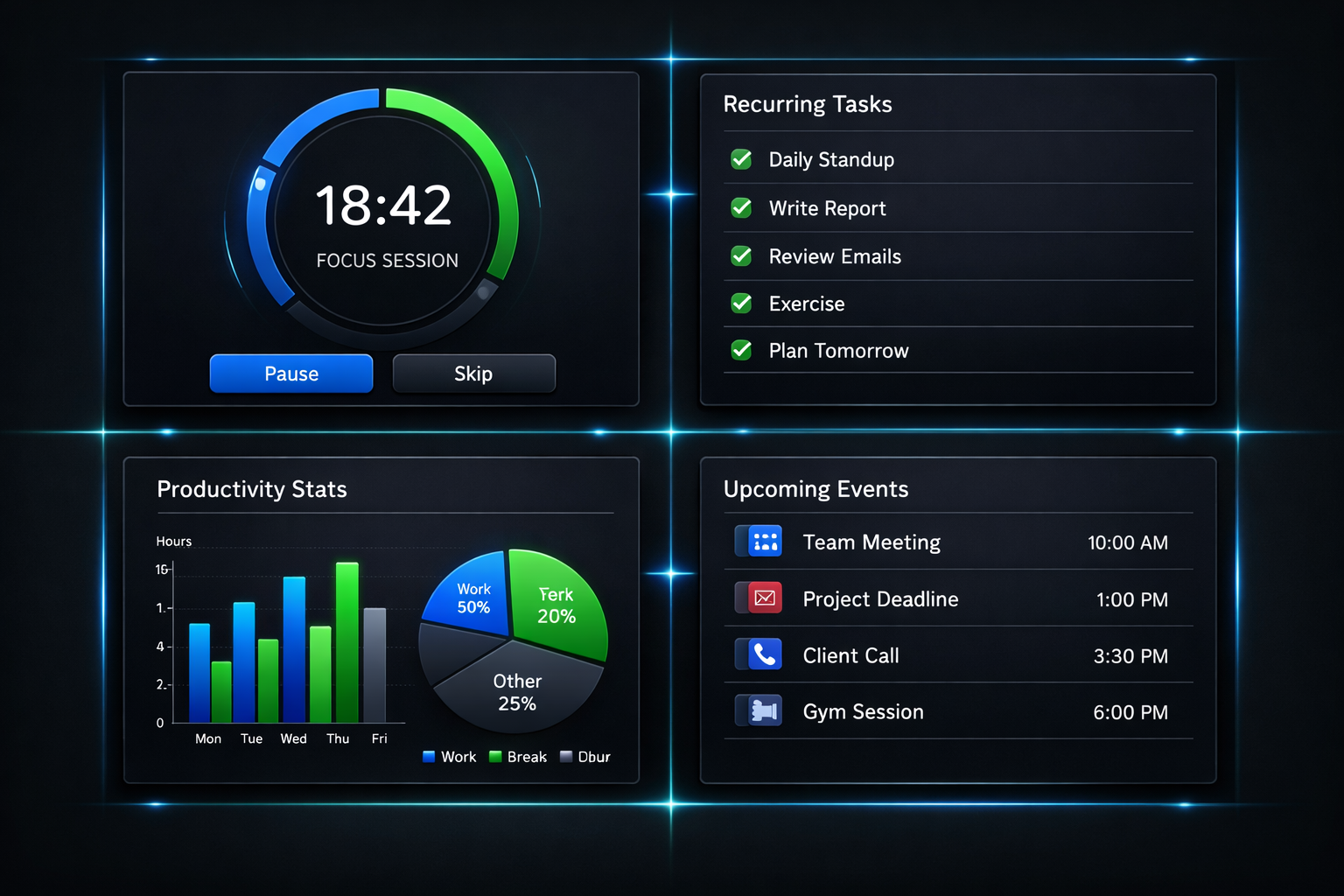
Part 6 covered the feature sprint and auth migration debugging. Today was different: four complete phases shipped in a single session. Phases 12 through 15, each building on the last.
Here’s how it went.
Phase 12: Pomodoro Timer
The Pomodoro technique is simple: 25 minutes of focused work, 5 minute break, repeat. After four cycles, take a longer break.
The implementation required tracking state across work and break phases:
const pomodoroPhase = v.union(
  v.literal('work'),
  v.literal('short_break'),
  v.literal('long_break')
);

pomodoroSessions: defineTable({
  blockId: v.id('timeBlocks'),
  userId: v.string(),
  pomodoroCount: v.number(),
  currentPhase: pomodoroPhase,
  phaseStartedAt: v.optional(v.number()),
  workMinutes: v.number(),
  shortBreakMinutes: v.number(),
  longBreakMinutes: v.number(),
  longBreakAfter: v.number(),
})
The UI shows a progress ring that fills as time passes. When a phase ends, it automatically transitions to the next. Work sessions increment the pomodoro count. After longBreakAfter work sessions, the next break is a long one.
User settings control the durations and auto-start behavior. Some people want breaks to start automatically; others prefer a manual transition.
Phase 13: Recurring Tasks
Tasks that repeat on a schedule. Daily standup. Weekly review. Monthly reporting.
The pattern system supports three recurrence types:
const recurrencePattern = v.union(
  v.literal('daily'),
  v.literal('weekly'),
  v.literal('monthly')
);

recurringPatterns: defineTable({
  userId: v.string(),
  taskId: v.id('tasks'), // The template task
  pattern: recurrencePattern,
  interval: v.number(), // Every N days/weeks/months
  daysOfWeek: v.optional(v.array(v.number())), // 0-6 for weekly
  dayOfMonth: v.optional(v.number()), // 1-31 for monthly
  startDate: v.string(),
  endDate: v.optional(v.string()),
  active: v.boolean(),
})
The interesting part: recurring tasks create instances, not copies. The original task becomes a template. Each occurrence is a separate task linked via parentTaskId and instanceDate. This preserves history - completing Monday’s standup doesn’t affect Tuesday’s.
Instance generation happens on-demand when viewing a date range. If no instance exists for a matching date, the system creates one from the template.
Phase 14: Analytics Dashboard
Time tracking is only useful if you can see where your time goes.
The analytics dashboard provides three views:
- Daily: Hours per project for a single day
- Weekly: Bar chart comparing days across the week
- Monthly: Aggregated totals with trend indicators
The data comes from time entries, grouped and summed:
export const getAnalytics = query({
  args: {
    period: v.union(v.literal('daily'), v.literal('weekly'), v.literal('monthly')),
    date: v.string(),
  },
  handler: async (ctx, args) => {
    // Query time entries in the date range
    // Group by project
    // Calculate totals and percentages
    // Return formatted for charts
  },
});
CSV export was a late addition. Select a date range, click export, get a spreadsheet with all your time entries. Simple but useful for invoicing or reporting.
Phase 15: Google Calendar Integration
The most complex phase. External calendar events displayed alongside time blocks, with the ability to export blocks back to Google Calendar.
OAuth is always tricky. Google’s flow:
- User clicks “Connect Google Calendar”
- Redirect to Google’s consent screen
- Google redirects back with an authorization code
- Exchange code for access and refresh tokens
- Store tokens securely for future API calls
The security considerations were extensive. CSRF protection via HMAC-SHA256 state validation:
async function computeStateHashAsync(data: string, secret: string): Promise<string> {
  const key = await crypto.subtle.importKey(
    'raw',
    encoder.encode(secret),
    { name: 'HMAC', hash: 'SHA-256' },
    false,
    ['sign']
  );
  const signature = await crypto.subtle.sign('HMAC', key, encoder.encode(data));
  return bytesToBase64url(new Uint8Array(signature));
}
Events are cached in Convex for offline support. A background sync runs every 15 minutes for connected accounts. Stale events are cleaned up per-calendar to avoid hitting Convex’s argument size limits.
The trickiest bug: Google event IDs aren’t globally unique. They’re only unique within a calendar. Two calendars can have events with the same ID. The fix was a compound index on connectionId + calendarId + externalId.
Lessons from the Sprint
Four phases in one day sounds intense. It was. But the preparation made it possible:
- Schema first: All four schemas were designed before implementation. No mid-flight changes.
- Shared patterns: Each phase reused patterns from previous phases. Pomodoro sessions follow the same mutation/query structure as time entries.
- Incremental commits: Each phase was committed separately. If something broke, rollback was easy.
- Immediate verification: After each phase, I tested the feature end-to-end before moving on.
The calendar integration took the longest - OAuth always does. But having the foundation in place meant I could focus entirely on the Google-specific logic.
What’s Next
With these four phases complete, ProFocusWork has the core features for a productivity app. What remains:
- iOS app with Live Activities
- Apple Calendar integration (EventKit)
- Polish and bug fixes
The hard parts are done. Now it’s about refinement.